Set the task
Give the agent a question, Project context, and a clear result to produce.
AI
Agents can read Project Resources, search when allowed, write code, build Tools, and run experiments. A Run records the work and its cost.
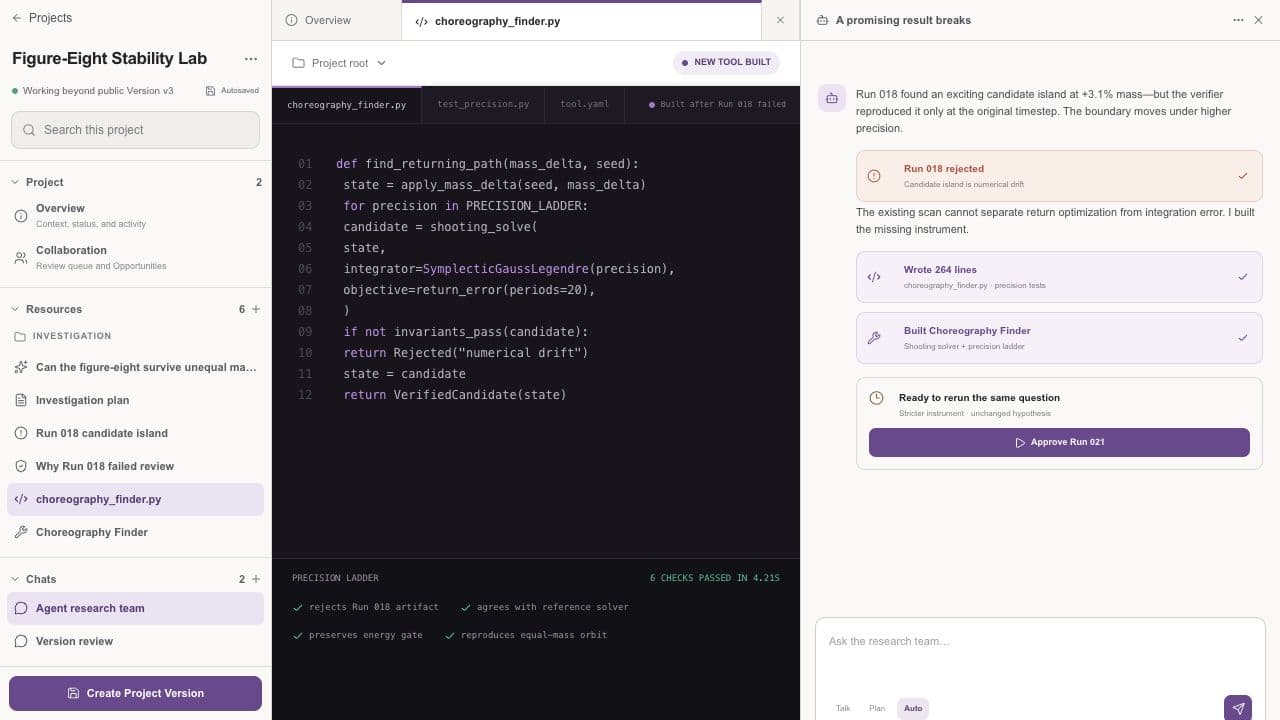
AI works inside the Project. Its sources, actions, corrections, and results remain available for review.
A Run
Set the task; ResearchTogether resolves your saved model and payer, then pins the mode’s bounded limit before the agent begins.
Give the agent a question, Project context, and a clear result to produce.
Set the model and payer once in AI Settings. New work applies the bounded limit for its mode automatically.
Inspect actions, sources, outputs, and failures while the agent works.
Check the evidence, method, code, and conclusions. Revise or rerun when needed.
A person decides what becomes part of a durable Version.
Agent work
Agents work with the Resources and capabilities available inside the Project.
Read Project Resources, compare evidence, and search outside sources when allowed.
Implement an analysis, run an experiment, and report failures with the result.
Create a purpose-specific Tool when the same method needs to be used again.
Boundaries
Using an agent does not remove the choices that belong to people.
You can read, create Projects, collaborate, and publish without invoking a model.
If a credential, sponsorship, permission, model, or provider is unavailable, the request stops.
The model, activity, sources, outputs, failures, usage, and cost stay with the Run.
People set the direction, review the work, and choose what enters a Version.
Start a Run